Windows
Windows · 64-bit
Download for Windows Open the .exe to get started. LNMTL Web to Ebook
FOR THE ONE-MORE-CHAPTER READER
Give your favourite LNMTL novels a home on your device. Save chapters, make ebooks, and settle in for a little more offline.
Get the free appWindows, macOS & Linux · Free to use
A SMALL APP. A BIG READING LIST.
One place to find novels, save your chapters, and turn them into books. Your library and download progress stay on your computer.
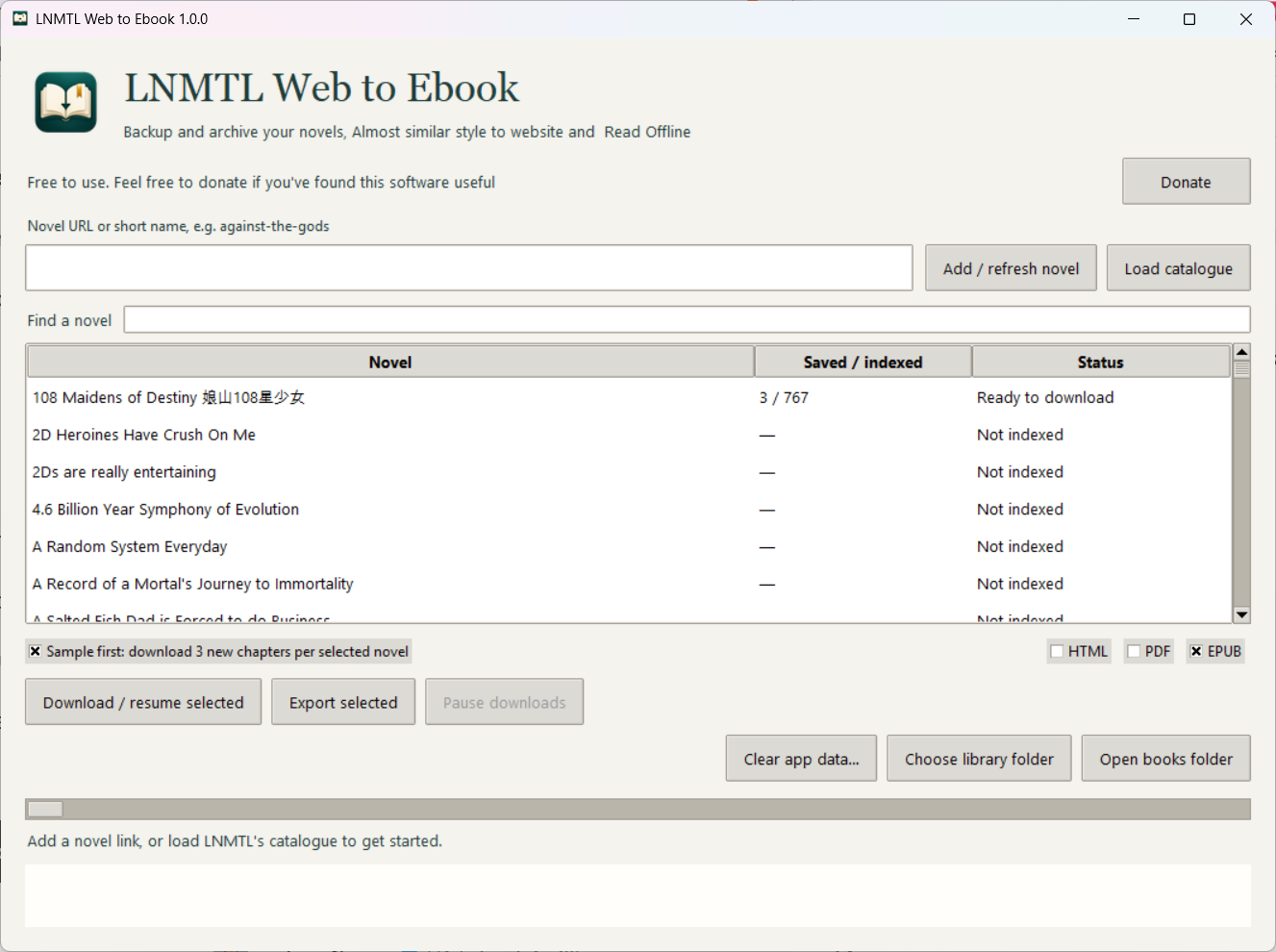
Pause and resume downloads. Chapters already saved stay saved, even after you close the app.
Export EPUB, PDF, or HTML. Keep the familiar light reading style, with chapter contents and volume headings.
Choose your library folder, keep your books locally, and read offline. No account or cloud upload required.
FROM LINK TO LIBRARY
In a good book, of course.
Choose the app for your computer. Everything you need to run the app is bundled in the release.
Paste a novel link or short name. Or click Load catalogue to list all LNMTL novels, then search for the one you want.
Select your novel and click Download / resume selected. Choose your format, then Export selected.
A little tip: Sample first saves three new chapters per run. Turn it off to download all remaining chapters.
YOUR NEXT CHAPTER STARTS HERE
Free to use. Choose your computer below.
We couldn’t get the latest download right now. Please try again or download from GitHub Releases.
Windows · 64-bit
Download for Windows Open the .exe to get started.Choose your Mac’s chip
Apple Silicon Download for Intel Mac ↓Find your chip in About This Mac.Ubuntu 24.04+ · 64-bit
Download for Linux Prefer a .deb package? ↓Extract the archive and open the app.Always the latest release, directly from GitHub. View release notes ↗
BEFORE YOU TURN THE PAGE
Yes. All features are free to use. If the app becomes part of your reading routine, you can optionally support the project.
No. Download a packaged release for your computer. Python and the PDF engine are included. See the user guide for platform-specific help.
Sample first is enabled by default. Uncheck it, then click Download / resume selected to save all remaining indexed chapters.
Yes. Your progress is kept locally. Reopen the app and resume; chapters already saved are skipped. Refresh the novel index to find newly available chapters.
The releases are not currently signed or notarized, so your operating system may show a warning. Read the platform instructions before opening the app if you encounter a prompt.
The app saves available English chapters from LNMTL; it does not translate new text. You need internet to find and download chapters. Once exported, your books can be read offline.
BUILT FOR READERS
A little support helps this independent project keep going.